The Timegrapher That Turns Tick Sounds into Numbers
Rate, amplitude and beat error on a screen — use it to guide judgement, not to replace understanding.
Specification
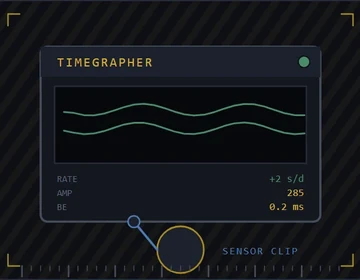
| Measured values | Rate · amplitude · beat error |
|---|---|
| Rate resolution | ±1 s/day typical |
| Amplitude range | 180° – 360° |
| Beat error range | 0 – 9.9 ms |
| Supported frequencies | 18,000 – 36,000 vph |
| Lift angle setting | 30° – 52°, user entered |
| Sensing | Acoustic microphone or inductive clip |
| Positions | Measured manually — one at a time |
Overview
A timegrapher listens to the escapement and plots timing. Rate tells you fast or slow, amplitude hints at power and friction, beat error flags asymmetry. Together they describe health better than a wrist comparison alone.
Numbers without context mislead. Lift angle, position and wind state change readings. A watch that looks perfect dial-up may fail pendant-out.
Calibrate your habits: same wind, same positions, same warm-up. Then compare before and after service honestly.
What matters about it
- Three numbers, three stories — read all of them
- Position testing reveals faults rate alone hides
- Lift angle settings must match the caliber
- Microphone placement affects messy traces
- Trends across service matter more than one screenshot
Practical notes
- Enter the correct lift angle before trusting amplitude.
- Test multiple positions after regulation.
- Do not chase zero beat error while ignoring low amplitude.
- Keep the pickup clean; dirt looks like noise on the plot.
More in Testing & Regulation
The Water-Resistance Test Before You Promise a Seal
Pressure or vacuum checks catch leaks on the bench — marketing depths mean nothing without a test.
The Demagnetizer That Frees Sticky Hairsprings
Residual magnetism slows or stops mechanical watches — a quick demagnetising pass is cheap insurance after service.
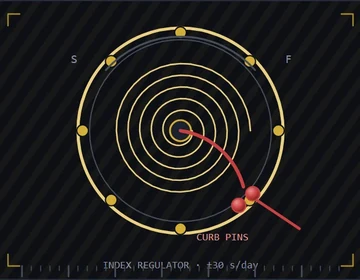
The Regulating Tool for Honest Rate Tweaks
Move the regulator index with control — bending a hairspring to ‘fix’ rate is how watches get worse.
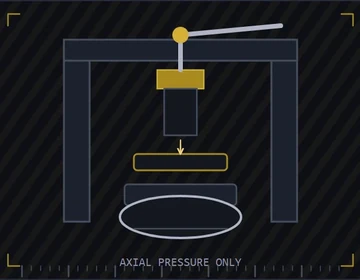
The Case Press That Closes Snaps Without Drama
Even pressure seats crystals and snap backs — hammers leave oval cases and cracked sapphire.